
Related Vouchers
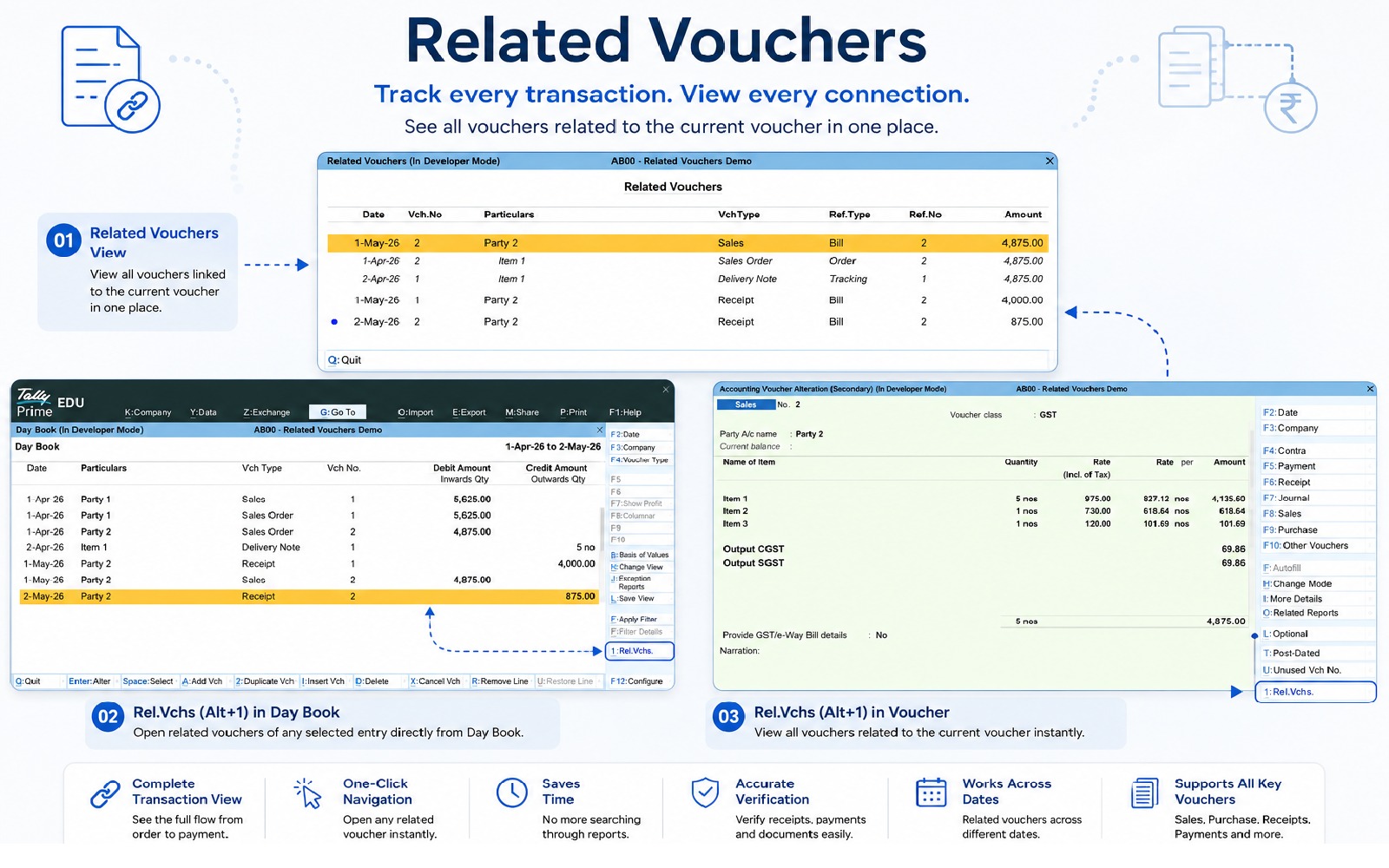
Code: AB00View every voucher related to the current transaction in one place. Instantly navigate between Sales Orders, Invoices, Receipts, Payments, Delivery Notes, Purchase Orders, and more.
Business transactions in Tally rarely consist of a single voucher. A transaction typically progresses through multiple stages, including order creation, inventory movement, invoicing, and payment collection.
Since these related vouchers are often created on different dates and under different voucher types, tracing the complete transaction from a single voucher can be difficult and time-consuming.
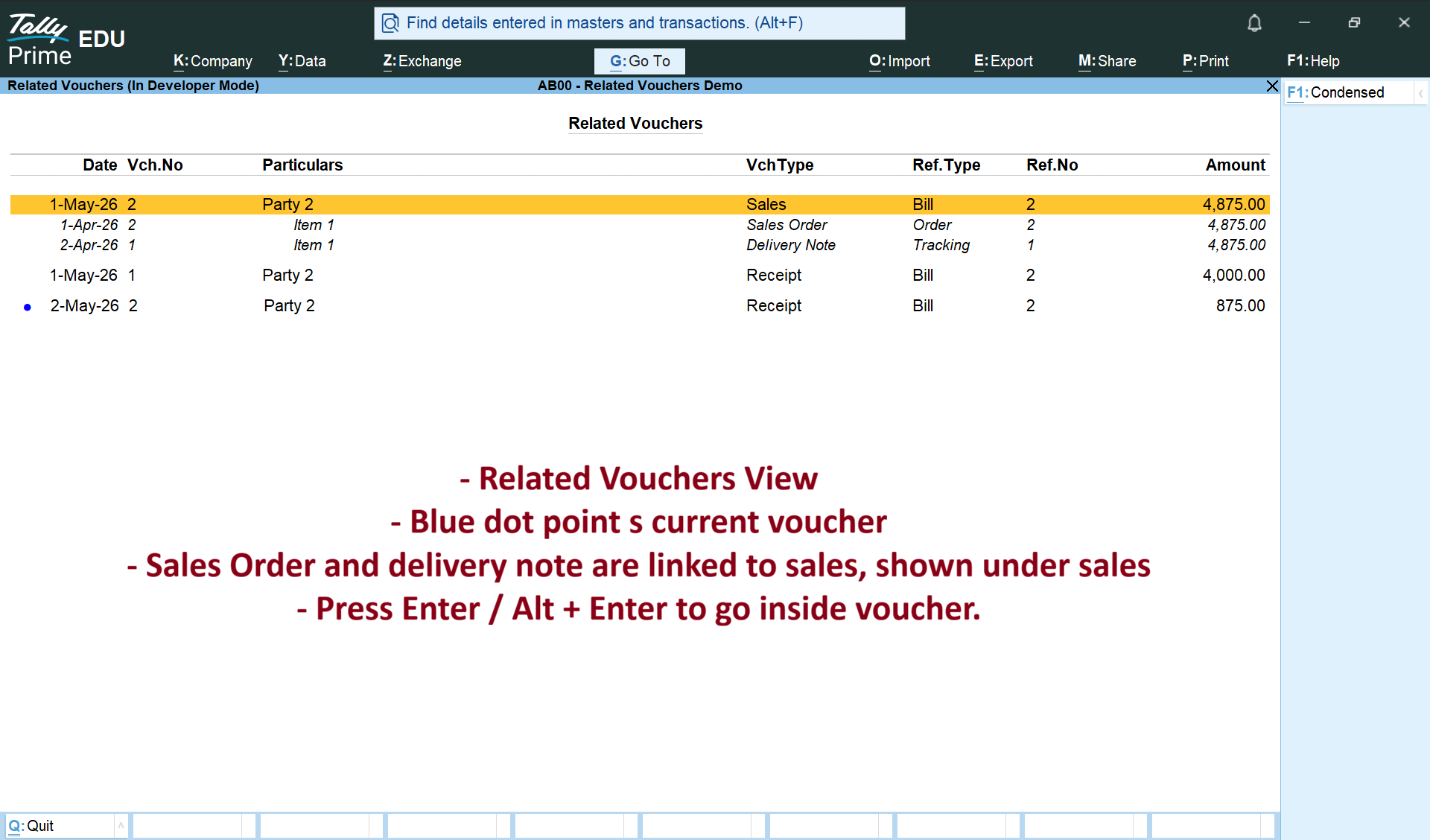
Related Vouchers brings every connected voucher together in one place, allowing you to view the complete transaction flow without leaving the current voucher.
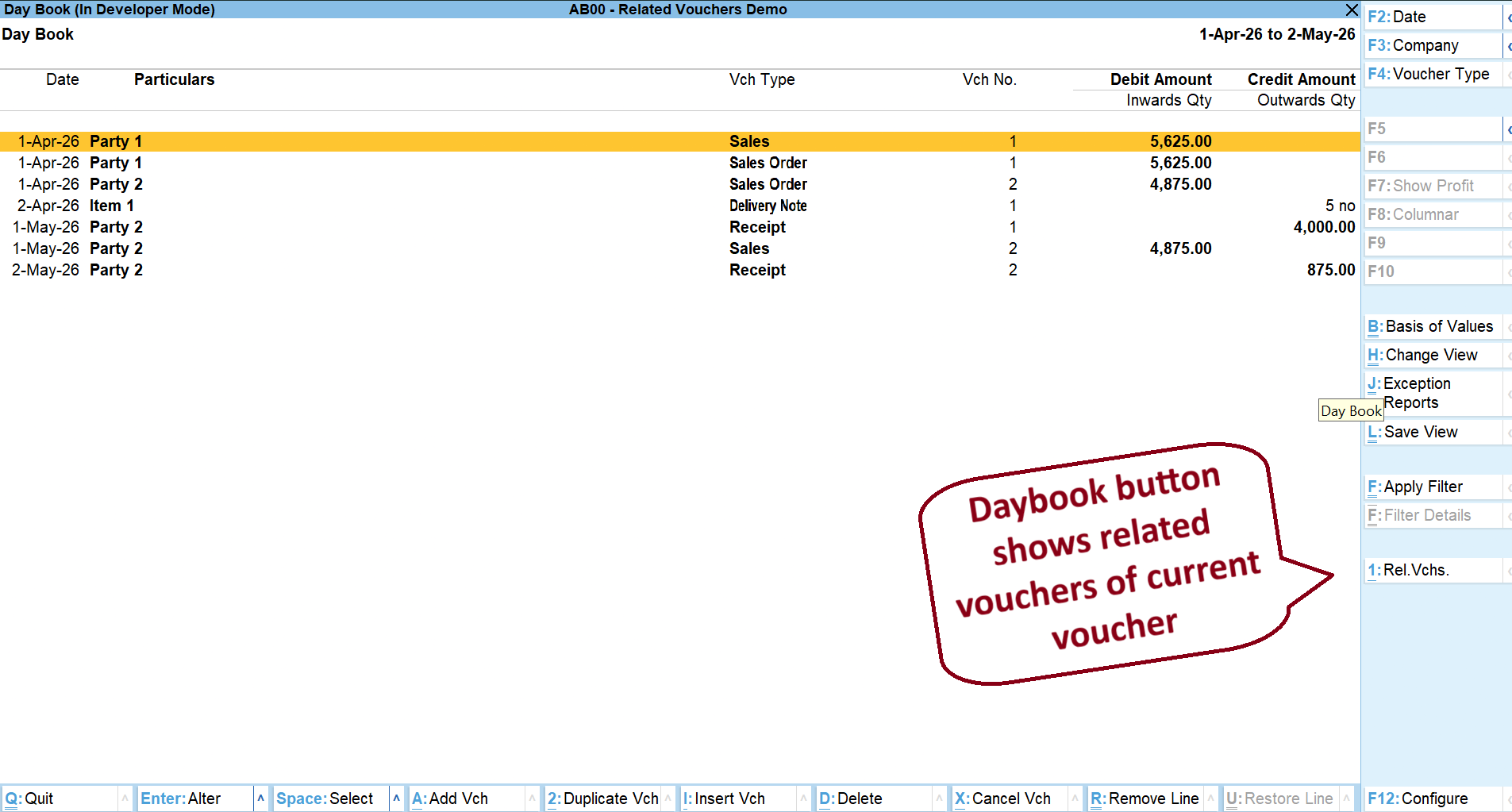
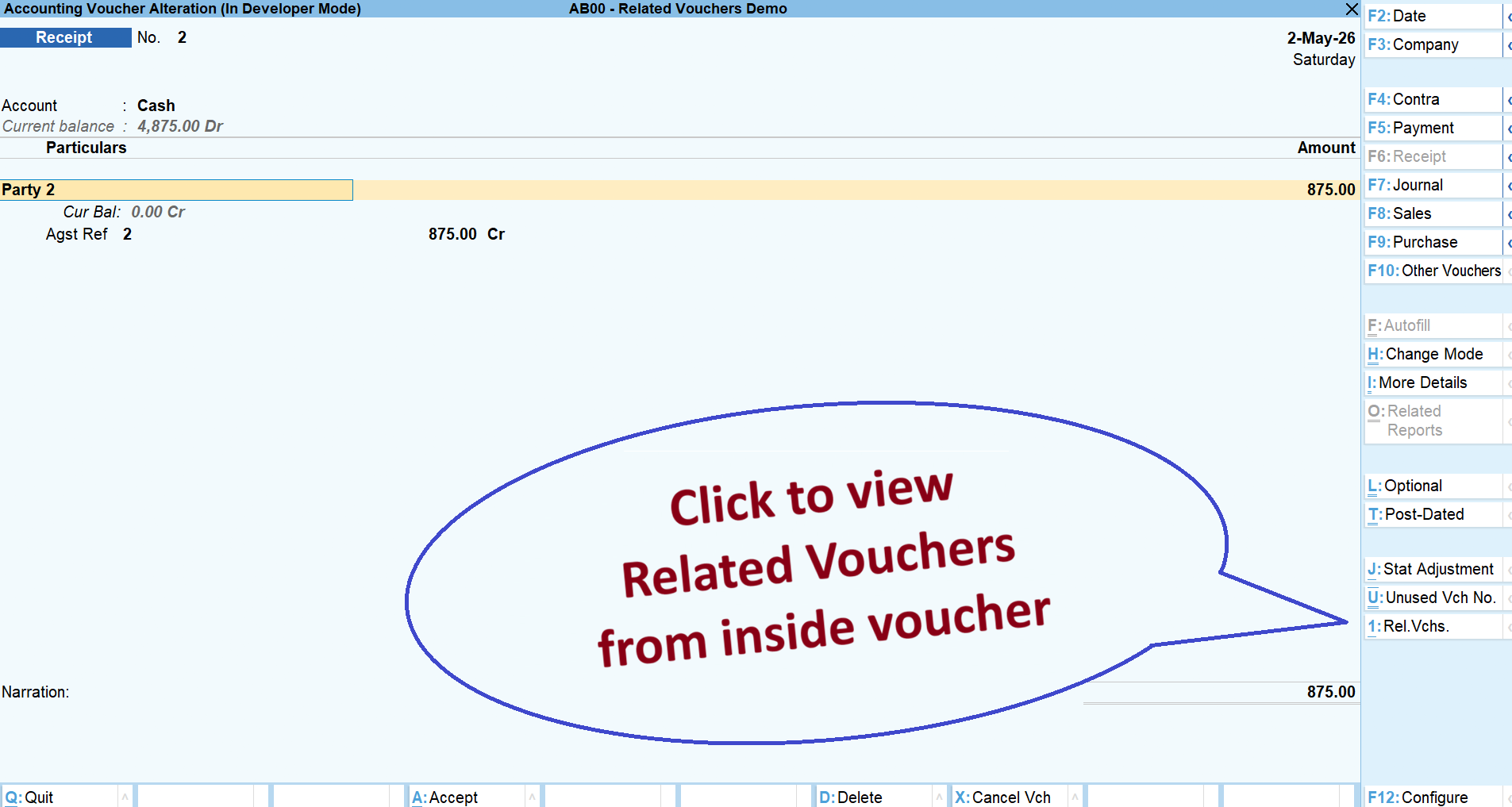
Open any Sales Invoice, Receipt Voucher, Delivery Note, Purchase Voucher, Payment Voucher, or any other linked document to instantly view all related transactions. Navigate directly to any connected voucher without searching through reports or voucher registers.
Whether you're verifying customer payments, checking order completion, reviewing supplier transactions, or performing an audit, Related Vouchers helps you understand the complete journey of every transaction in seconds.
Key Benefits
- View all related vouchers from any voucher.
- Navigate between linked vouchers with a single click.
- Track complete order-to-payment and purchase-to-payment flows.
- Quickly verify receipts and payments against invoices.
- Reduce time spent searching through reports and voucher registers.
- Improve accounting accuracy and audit efficiency.
Ideal For
- Business Owners
- Accountants
- Accounts Executives
- Auditors
- Tally Service Providers
- Inventory Managers
Since our premium solutions interact directly with your TallyPrime database schema, TallyKart provides custom remote configuration. We verify your order and handle the configuration remotely for you.
1. Add to Cart
Add the solution subscription to your cart or click Order Now.
2. Complete Payment
Proceed to checkout and complete the billing details.
3. Order Verification
TallyKart verifies your company license details.
4. Support Contacts You
Our certified agent calls you to schedule installation.
5. Remote Setup
We remotely install and configure the solution on your system.
6. Go Live!
Your premium solution becomes fully active and ready to use.
Reviews
Loading reviews...
Write a Review
Share your experience with other TallyPrime users.
Log in to write a review.