

Subscription Total
₹1,440
Note: Assisted setup remote configuration is provided within 24 hours of successful order checkout.
Sales & Billing
Item-wise Price Level in Sales
Code: AB07Apply different Price Levels to individual items in the same TallyPrime invoice and automatically fetch the applicable rates.
Verified Publisher
Remote Installation Included
Expert Assisted Setup
Free Updates included
Email & Phone Support
Publisher: TallyKart.com
Current Version: v1.0
Release Date: August 14, 2026
Last Updated: September 30, 2026
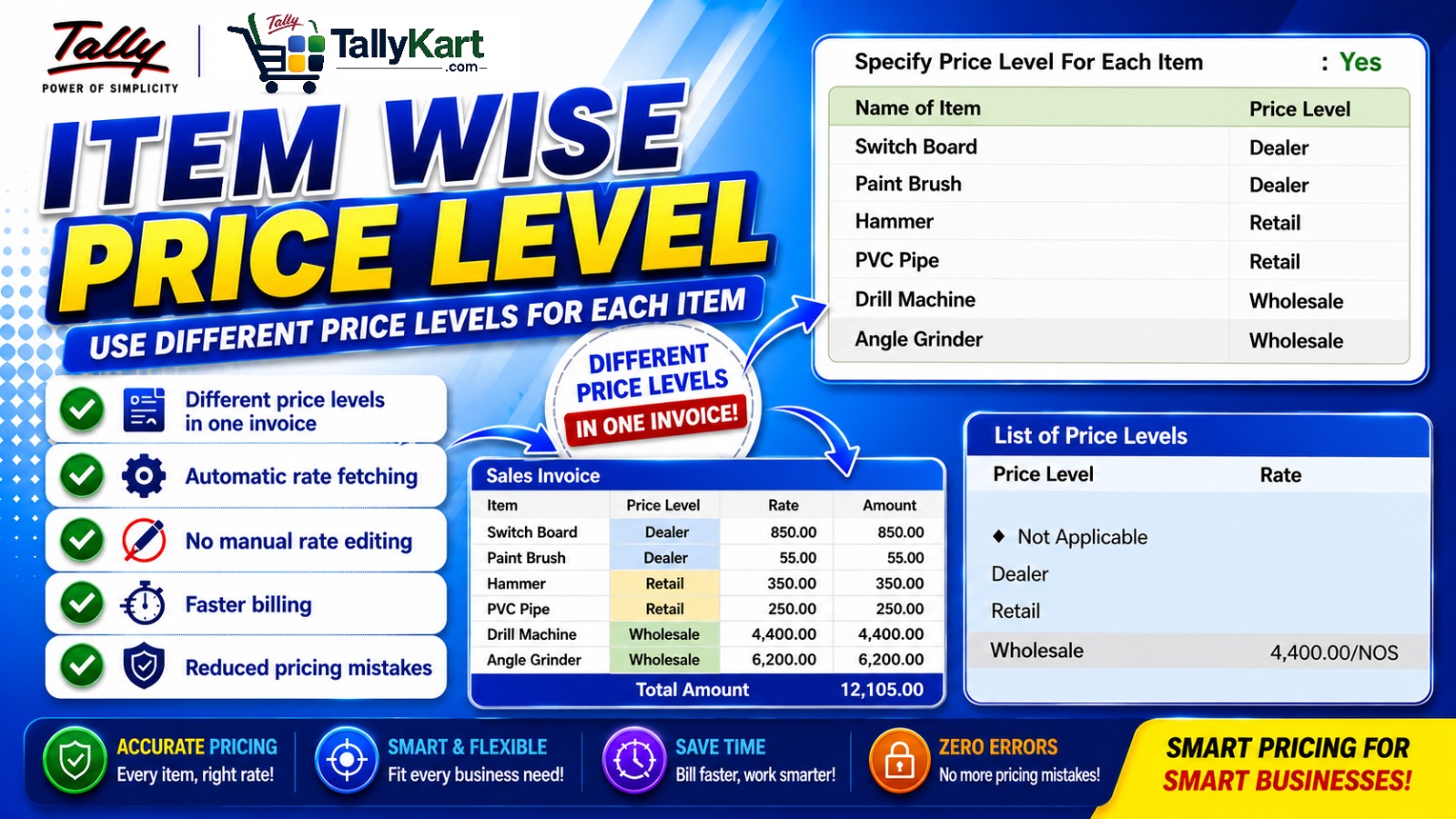
Use different Price Levels for different items in the same TallyPrime invoice.
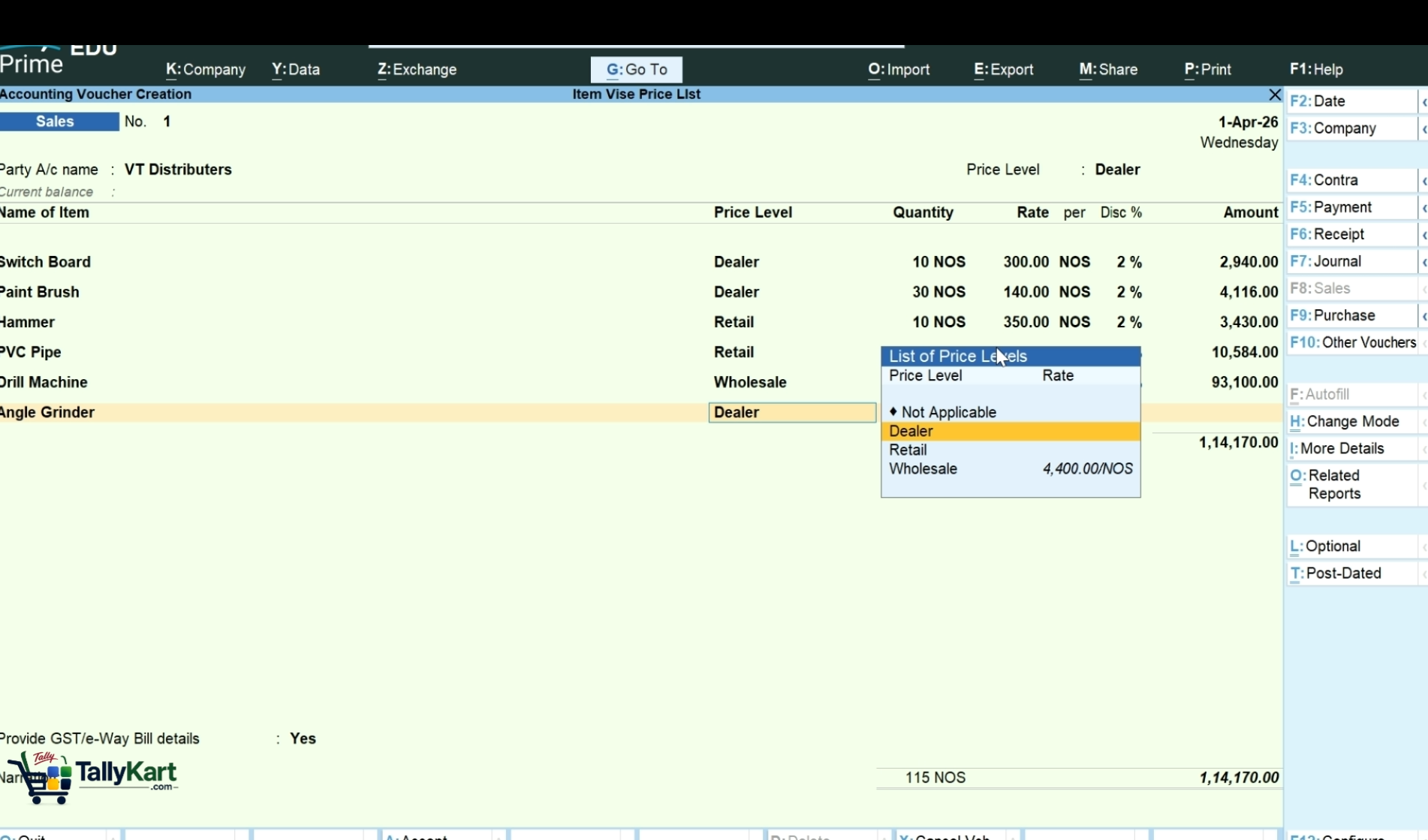
Item-wise Price Level allows you to select the appropriate Price Level separately for each item while creating a sales invoice.
This is especially useful when different products in the same invoice need to be billed at different pricing levels. The addon automatically fetches the corresponding rate based on the Price Level selected for each item.
Different Price Levels in One Invoice
With Item-wise Price Level, you are not limited to a single Price Level for the entire invoice. Each item can have its own Price Level.
For example, a single invoice can contain:
- Switch Board – Dealer Rate
- Paint Brush – Retail Rate
- PVC Pipe – Dealer Rate
- Drill Machine – Wholesale Rate
- Angle Grinder – Wholesale Rate
Automatic Rate Selection
Once the Price Level is selected for an item, the applicable rate is automatically picked, reducing the need for manual rate changes during invoice preparation.
Key Benefits
- Apply different Price Levels to individual items.
- Use multiple Price Levels within the same invoice.
- Automatically fetch the applicable item rate.
- Reduce manual rate editing.
- Speed up sales invoice preparation.
- Minimize pricing errors.
Ideal For
Businesses that maintain multiple pricing levels and need to bill different products at different rates within the same customer invoice.
Different Price Levels in One Invoice
Apply different Price Levels to individual items within the same TallyPrime invoice.
Item-wise Price Level
Select the appropriate Price Level separately for each item.
No Manual Rate Editing
Avoid repeatedly changing item rates while preparing invoices.
Since our premium solutions interact directly with your TallyPrime database schema, TallyKart provides custom remote configuration. We verify your order and handle the configuration remotely for you.
01
1. Add to Cart
Add the solution subscription to your cart or click Order Now.
02
2. Complete Payment
Proceed to checkout and complete the billing details.
03
3. Order Verification
TallyKart verifies your company license details.
04
4. Support Contacts You
Our certified agent calls you to schedule installation.
05
5. Remote Setup
We remotely install and configure the solution on your system.
06
6. Go Live!
Your premium solution becomes fully active and ready to use.
Tally Versions
TallyPrime
Supported Editions
Silver (Single User), Gold (Multi-User)
Operating Systems
Any
System Prerequisites
Licensed Tally Installation & internet for remote setup
Minimum Required: TallyPrime 1.0
Current Version: v1.0
v1.0Latest ReleaseSeptember 30, 2026
Reviews
Loading reviews...
Write a Review
Share your experience with other TallyPrime users.
Log in to write a review.
Related Solutions


Custom Templates in Tally WhatsApp
AB12Extend TallyPrime’s built-in WhatsApp feature to use your own approved custom templates. Map template parameters to Tally data and send personalized messages directly through Tally’s existing WhatsApp workflow.
- Custom Template Support
- Parameter Mapping
- VoucherType-wise Setup