
Subscription Total
₹1,560
Note: Assisted setup remote configuration is provided within 24 hours of successful order checkout.
Inventory & Stock Management
Negative Stock Control
Code: AB05Block negative stock by default with flexible exception rules, tolerance control, intelligent quantity validation, and support for voucher alterations, Sales Orders and Delivery Notes.
Verified Publisher
Remote Installation Included
Expert Assisted Setup
Free Updates included
Email & Phone Support
Publisher: TallyKart.com
Current Version: v1.0
Release Date: August 11, 2026
Last Updated: September 30, 2026
Negative Stock Control helps you enforce strict control over negative stock in TallyPrime.
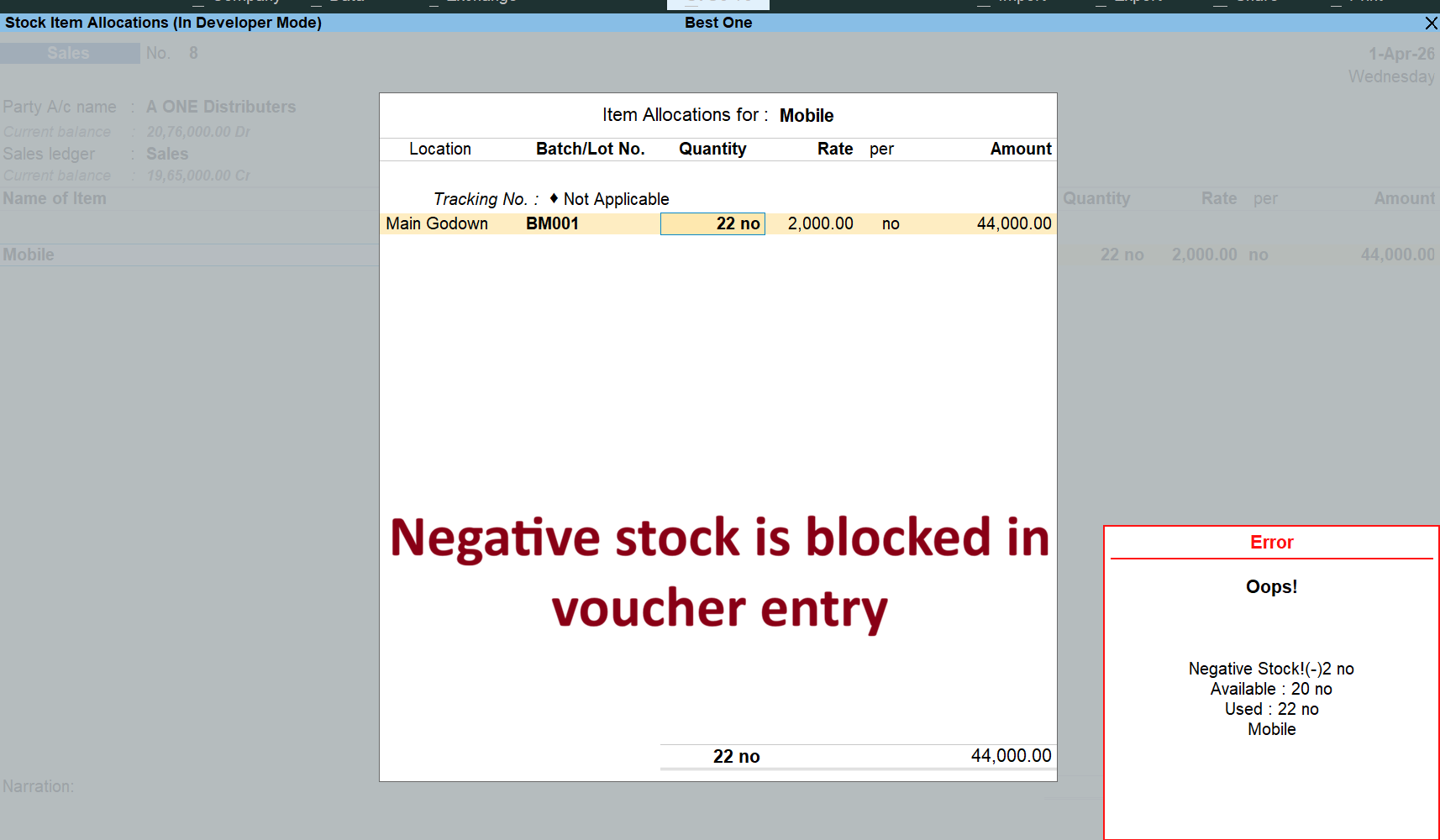
TallyPrime can warn users when a transaction results in negative stock, but businesses that require stricter control can use this addon to actually block negative-stock transactions.
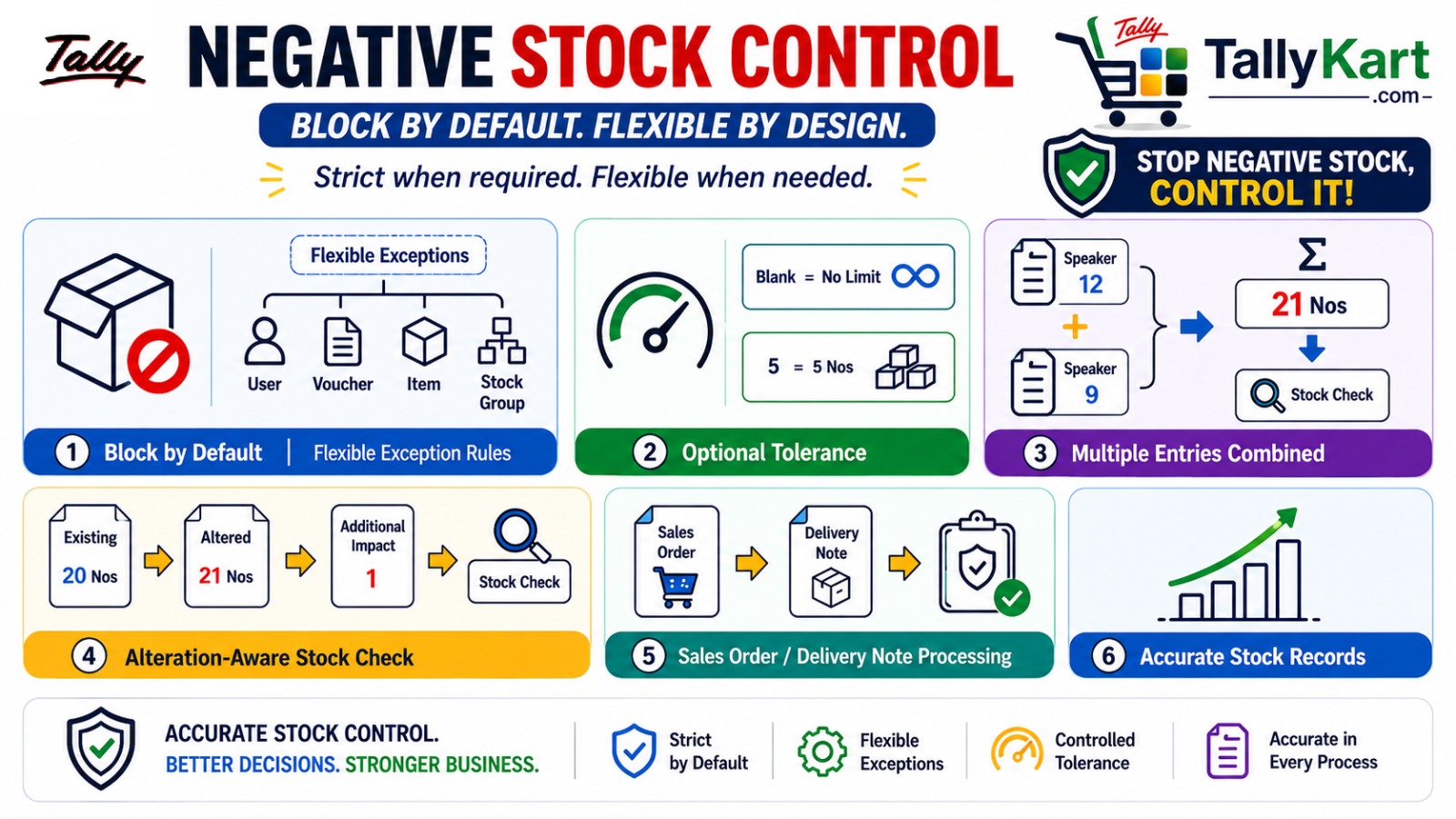
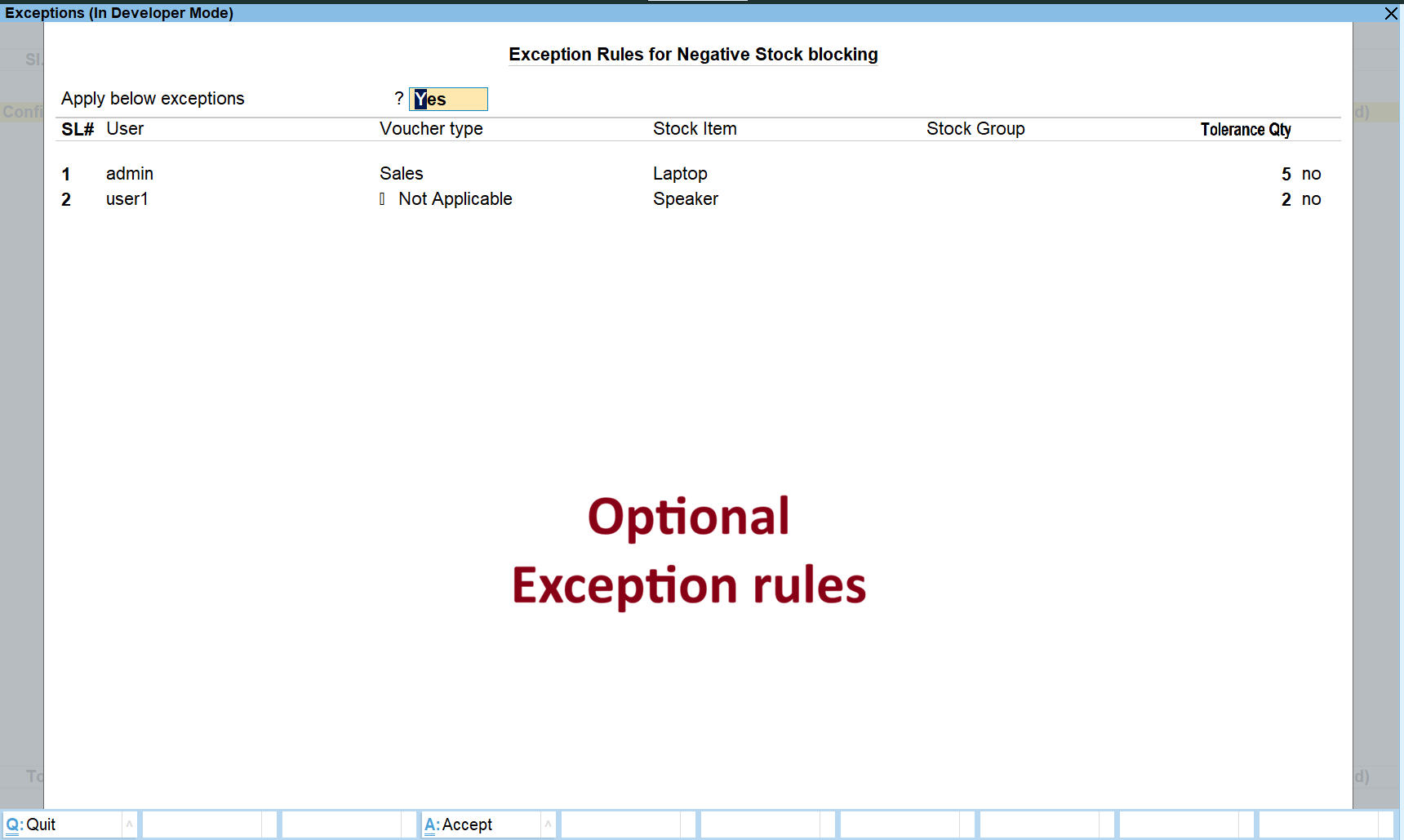
Negative stock is blocked by default. When your business requires exceptions, you can enable and configure flexible exception rules based on the User, Voucher Type, Stock Item or Stock Group.
Flexible Exception Rules
All exception conditions can be maintained through a single, easy-to-manage interface. Enable exception rules only when required and define exactly where negative stock can be permitted.
- Define exceptions by User
- Define exceptions by Voucher Type
- Define exceptions for specific Stock Items
- Define exceptions for Stock Groups
- Combine multiple conditions to create specific exceptions
Optional Tolerance Control
Not every exception needs to allow unlimited negative stock. The Tolerance Quantity lets you control how much negative stock can be permitted.
- Leave Tolerance blank to allow any quantity under the exception.
- Specify a quantity to limit the permitted negative stock.
- When multiple exception rules match, the lowest specified tolerance is applied.
Accurate Quantity Validation
The addon also handles practical transaction-entry situations where a simple stock comparison may not be sufficient.
- Multiple entries of the same item are automatically combined for the stock check.
- The total quantity required for the item is considered when validating negative stock.
- This ensures that repeated item entries cannot result in an incomplete stock check.
Intelligent Voucher Alteration Control
Negative stock validation also works when an existing voucher is altered.
During alteration, the addon considers the quantity already present in the voucher and evaluates the actual stock impact of the change, rather than simply treating the entire altered quantity as a new requirement.
Works with Sales Order and Delivery Note Processing
The negative stock control is designed to work with relevant Sales Order and Delivery Note processing, helping maintain consistent stock control across the sales workflow.
Key Benefits
- Block negative stock by default
- Flexible exception rules
- User, Voucher Type, Stock Item and Stock Group based exceptions
- Optional tolerance limits
- Automatic combination of repeated item entries
- Accurate stock validation during voucher alteration
- Support for Sales Order and Delivery Note processing
Negative Stock Control gives you strict stock protection while retaining the flexibility to handle genuine business exceptions.
Block Negative Stock by Default
Automatically blocks transactions that would result in negative stock, instead of merely relying on a warning.
Flexible Exception Rules
Define exceptions based on users, voucher types, stock items or stock groups.
Optional Tolerance
Leave tolerance blank for no limit, or specify a quantity to control the permitted negative stock.
Multiple Entries Combined
Automatically combines repeated entries of the same item before performing the negative-stock check.
Alteration-Aware Stock Check
Considers the existing voucher quantity and actual stock impact when an existing voucher is altered.
Sales Order & Delivery Note Support
Maintains negative-stock control through Sales Order and Delivery Note processing.
Since our premium solutions interact directly with your TallyPrime database schema, TallyKart provides custom remote configuration. We verify your order and handle the configuration remotely for you.
01
1. Add to Cart
Add the solution subscription to your cart or click Order Now.
02
2. Complete Payment
Proceed to checkout and complete the billing details.
03
3. Order Verification
TallyKart verifies your company license details.
04
4. Support Contacts You
Our certified agent calls you to schedule installation.
05
5. Remote Setup
We remotely install and configure the solution on your system.
06
6. Go Live!
Your premium solution becomes fully active and ready to use.
Tally Versions
Tally.ERP9, TallyPrime
Supported Editions
Silver (Single User), Gold (Multi-User)
Operating Systems
Any
System Prerequisites
Licensed Tally Installation & internet for remote setup
Minimum Required: TallyPrime 1.0
Current Version: v1.0
v1.0Latest ReleaseSeptember 30, 2026
Reviews
Loading reviews...
Write a Review
Share your experience with other TallyPrime users.
Log in to write a review.