
Subscription Total
₹1,320
Note: Assisted setup remote configuration is provided within 24 hours of successful order checkout.
Inventory & Stock Management
Item Image
Code: AB06Display item images in Tally Item Master, voucher entry, invoices, Stock Summary and inventory reports for faster product identification.
Verified Publisher
Remote Installation Included
Expert Assisted Setup
Free Updates included
Email & Phone Support
Publisher: TallyKart.com
Current Version: v1.0
Release Date: August 11, 2026
Last Updated: September 30, 2026
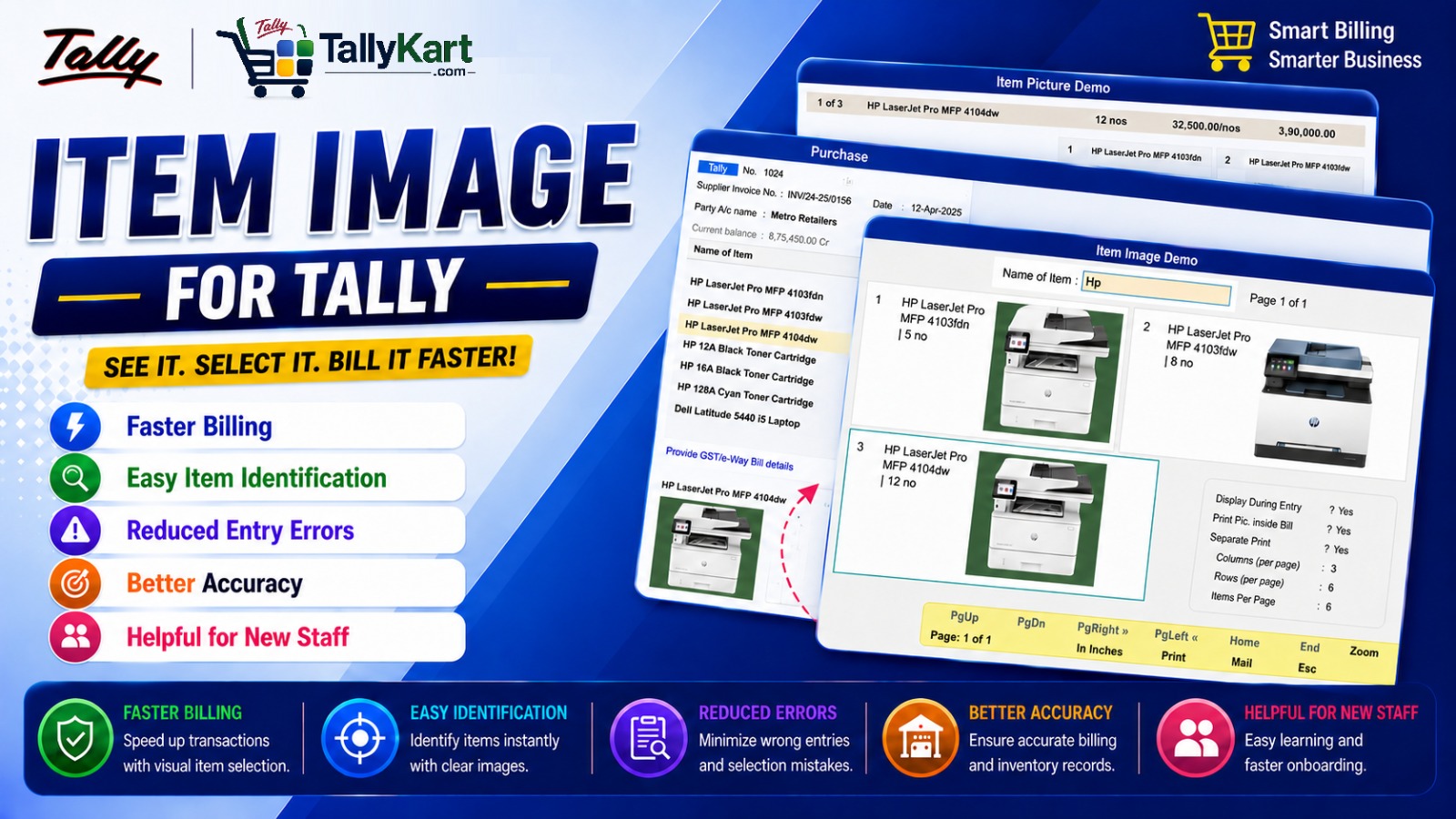
Item Image for Tally brings product images directly into your Tally workflow, making inventory identification faster, easier and more accurate.
Instead of relying only on item names, codes and descriptions, users can visually identify products while creating masters, entering vouchers, printing invoices and reviewing inventory reports.
Key Features
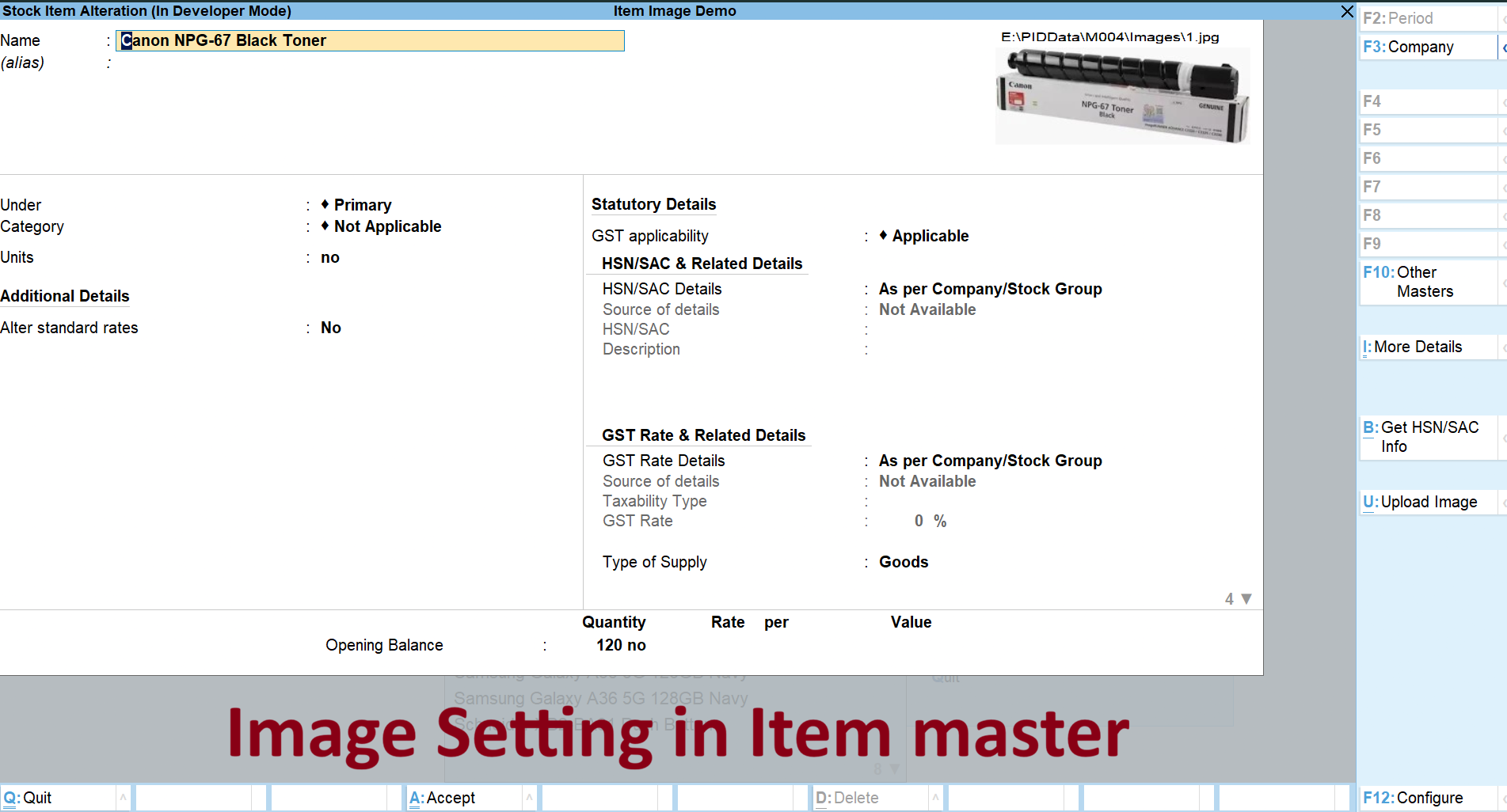
- Display Images in Item Master
Specify the image path for each stock item and display the product image directly in the Item Master. - View Images During Voucher Entry
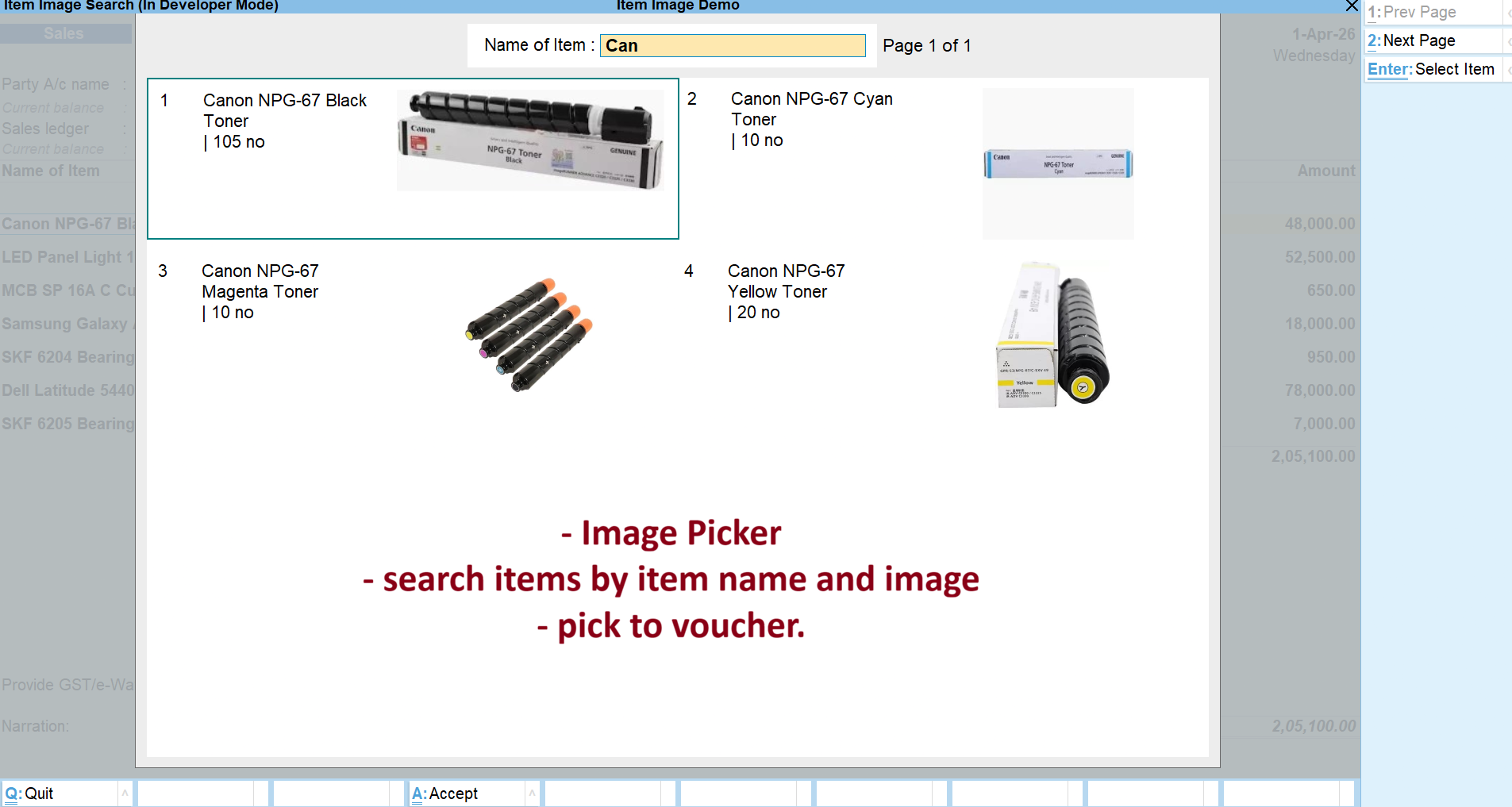
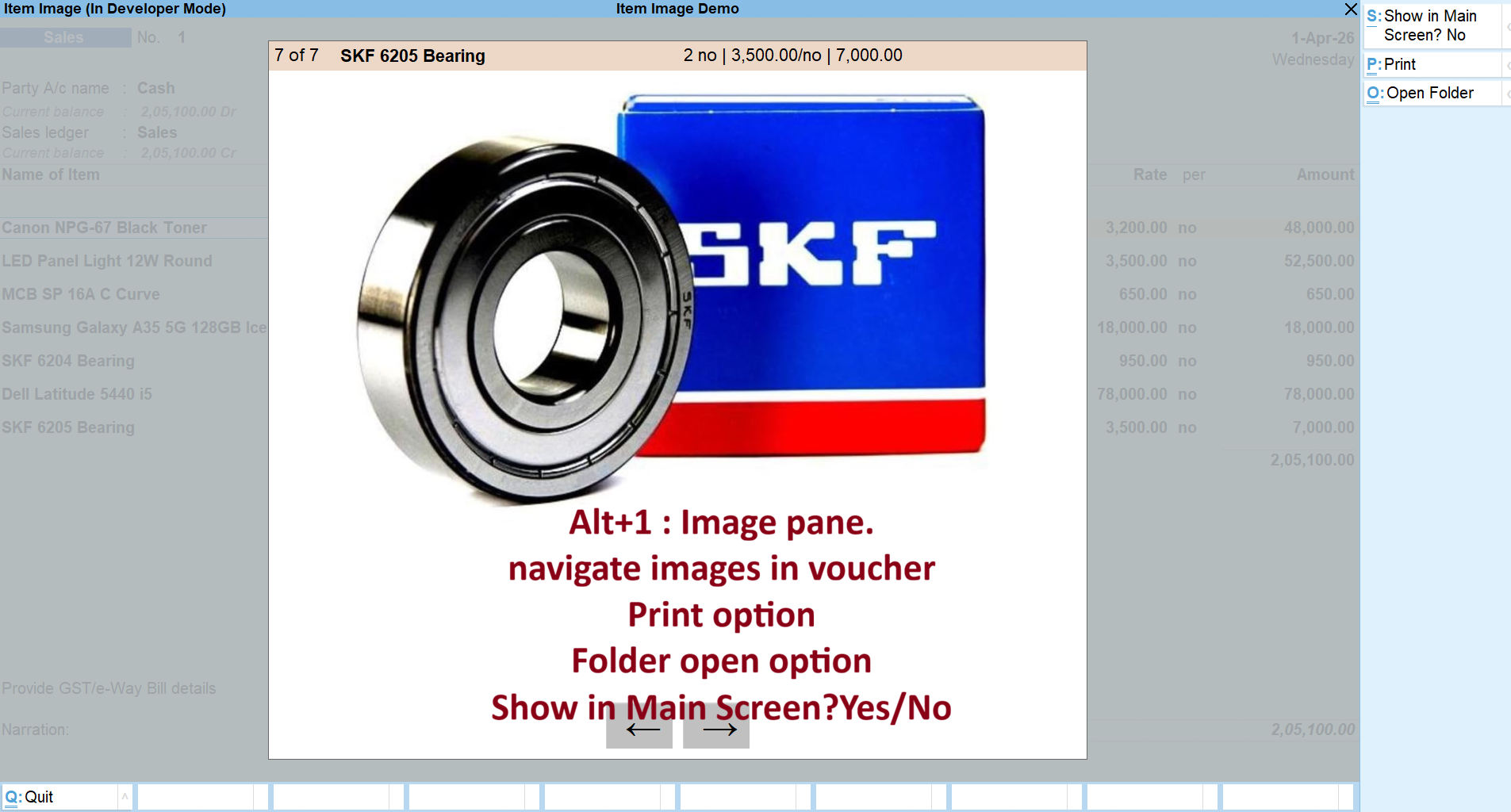
When an item is selected in a voucher, its corresponding image can be displayed, helping users visually confirm the correct product. - Print Images in Invoices
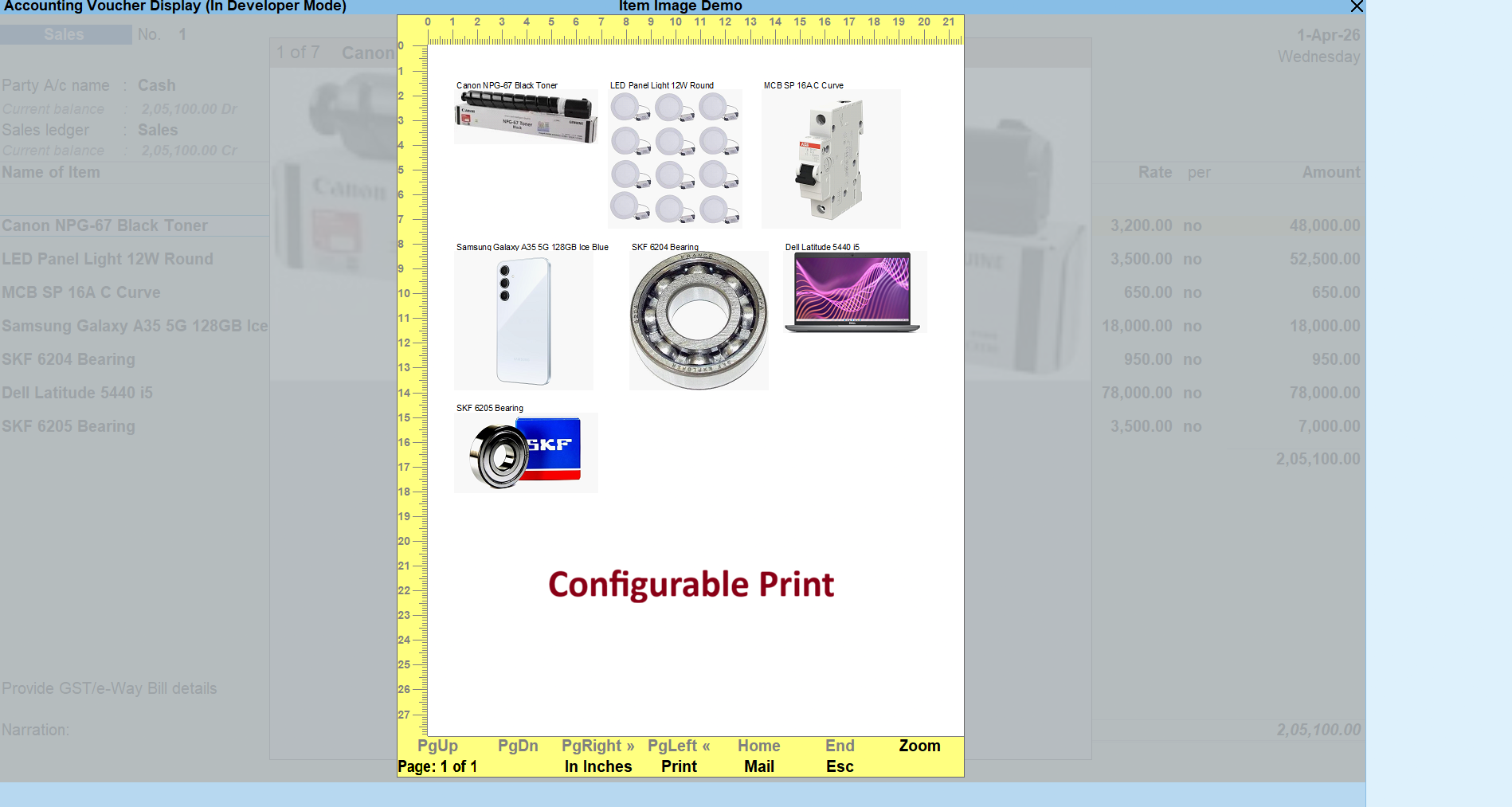
Print product images directly along with the invoice items for a more informative and professional invoice. - Print Images on a Separate Page
Product images can also be printed separately from the invoice, making it useful for product references and customer documentation. - Images in Stock Summary
Enable item images while viewing Stock Summary to make product identification easier when reviewing inventory. - Images in Inventory Reports
Display product images in supported inventory reports for better visual understanding of your stock.
Why Use Item Images in Tally?
In businesses dealing with a large number of visually different products with similar item names, identifying the correct item can be difficult. Product images provide an additional visual reference and help users distinguish products quickly.
- Reduce product identification errors
- Improve accuracy during voucher entry
- Make inventory review more intuitive
- Create more informative invoices
- Improve the overall Tally user experience
Ideal For
- Retail businesses
- Trading companies
- Electrical and hardware businesses
- Mobile and electronics dealers
- Spare parts businesses
- Businesses with visually different products having similar names or codes
Make your Tally inventory more visual and easier to manage with Item Image for Tally.
Item Master Images
Add and view product images directly in the Item Master.
Voucher Item Images
View the selected item's image during voucher entry.
Image Printing
Print product images directly on invoices. Print item images on a separate page when needed.
Images in Reports
View product images while reviewing stock summary. Display item images in supported inventory reports.
Since our premium solutions interact directly with your TallyPrime database schema, TallyKart provides custom remote configuration. We verify your order and handle the configuration remotely for you.
01
1. Add to Cart
Add the solution subscription to your cart or click Order Now.
02
2. Complete Payment
Proceed to checkout and complete the billing details.
03
3. Order Verification
TallyKart verifies your company license details.
04
4. Support Contacts You
Our certified agent calls you to schedule installation.
05
5. Remote Setup
We remotely install and configure the solution on your system.
06
6. Go Live!
Your premium solution becomes fully active and ready to use.
Tally Versions
TallyPrime v1.0, v2.0, v3.0, v4.0, v5.0+
Supported Editions
Silver (Single User), Gold (Multi-User)
Operating Systems
Windows 7, 8, 10, 11 (64-bit), Windows Server
System Prerequisites
Licensed Tally Installation & internet for remote setup
Minimum Required: TallyPrime v1.0
Current Version: v1.0
v1.0Latest ReleaseSeptember 30, 2026
Reviews
Loading reviews...
Write a Review
Share your experience with other TallyPrime users.
Log in to write a review.