
Subscription Total
₹1,380
Note: Assisted setup remote configuration is provided within 24 hours of successful order checkout.
Security & Data Protection
Recycle Bin
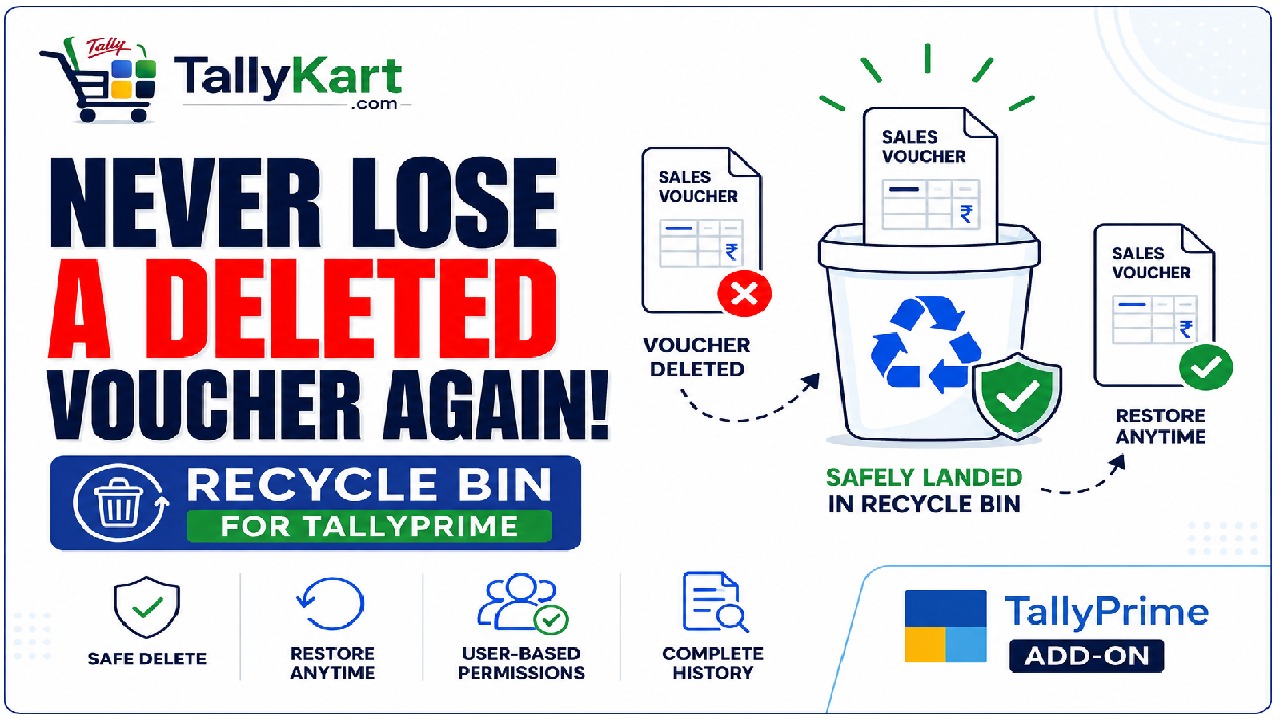
Code: AB03Safe Voucher Deletion & Recovery for Tally. Prevent accidental voucher loss by sending deleted vouchers to a secure Recycle Bin. Restore or permanently delete vouchers with user-based permissions.
Verified Publisher
Remote Installation Included
Expert Assisted Setup
Free Updates included
Email & Phone Support
Publisher: TallyKart.com
Current Version: v1.0
Release Date: August 8, 2026
Last Updated: September 30, 2026
Protect Your TallyPrime Data from Accidental Deletion
Deleting an important voucher by mistake can disrupt accounting records and require time-consuming manual re-entry.
TallyKart Recycle Bin adds a safety layer to TallyPrime by moving deleted vouchers into a secure Recycle Bin instead of deleting them permanently.
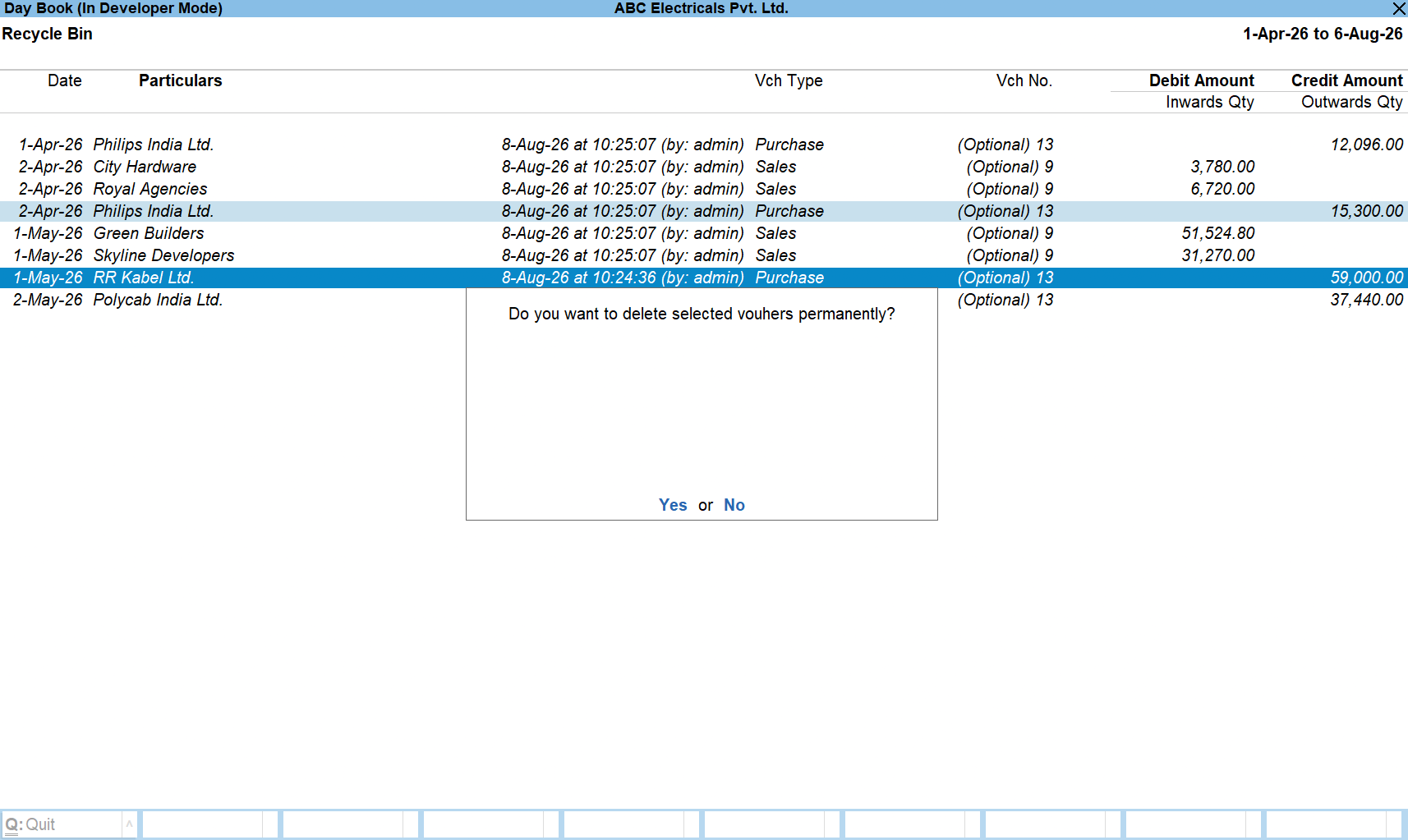
Authorized users can review, restore, or permanently delete vouchers whenever required, giving your organization complete control over deleted transactions.
Key Features
- Safely move deleted vouchers to Recycle Bin instead of permanently deleting them.
- Restore deleted vouchers with a single action.
- Permanently delete vouchers only after verification.
- Configure authorized users who can restore or permanently delete vouchers.
- Track who deleted each voucher along with deletion date and time.
- Prevent accidental data loss.
- Reduce manual voucher re-entry.
- Improve accountability in multi-user environments.
- Works seamlessly within the normal TallyPrime workflow.
Why Choose Recycle Bin?
Accidental deletion is one of the most common reasons for missing accounting data. Recycle Bin provides an additional safeguard without changing the way users work in TallyPrime.
Instead of worrying about permanent deletion, users can confidently delete vouchers knowing they can be restored whenever required.
Ideal For
- Businesses using TallyPrime
- Accountants
- Finance Teams
- Auditors
- Tally Partners
- Organizations with multiple Tally users
Supported Versions
Compatible with supported versions of TallyPrime. Please contact TallyKart for version compatibility details.
Safe Voucher Deletion
Keep deleted vouchers safely in the Recycle Bin.
Instant Recovery
Restore deleted vouchers whenever required.
Authorized Access
Control who can restore or permanently delete vouchers.
Deletion History
Track who deleted each voucher and when.
Permanent Deletion
Permanently remove vouchers only when authorized.
Less Manual Work
Restore vouchers instead of recreating them manually.
Since our premium solutions interact directly with your TallyPrime database schema, TallyKart provides custom remote configuration. We verify your order and handle the configuration remotely for you.
01
1. Add to Cart
Add the solution subscription to your cart or click Order Now.
02
2. Complete Payment
Proceed to checkout and complete the billing details.
03
3. Order Verification
TallyKart verifies your company license details.
04
4. Support Contacts You
Our certified agent calls you to schedule installation.
05
5. Remote Setup
We remotely install and configure the solution on your system.
06
6. Go Live!
Your premium solution becomes fully active and ready to use.
Tally Versions
TallyPrime
Supported Editions
Silver (Single User), Gold (Multi-User)
Operating Systems
Any
System Prerequisites
Licensed Tally Installation & internet for remote setup
Minimum Required: TallyPrime
Current Version: v1.0
v1.0Latest ReleaseSeptember 30, 2026
Reviews
Loading reviews...
Write a Review
Share your experience with other TallyPrime users.
Log in to write a review.
Related Solutions