
Yearly Subscription
₹1,920
Note: Assisted setup remote configuration is provided within 24 hours of successful order checkout.
Security & Data Protection
Voucher History Review & Restore
Code: AB040.0· 0 reviews 0 Active
Track voucher changes, review modifications, control user access, and restore vouchers to previous versions in Tally.
Verified Publisher
Remote Installation Included
Expert Assisted Setup
Free Updates included
Email & Phone Support
Publisher: TallyKart.com
Current Version: v1.0
Release Date: August 8, 2026
Last Updated: August 19, 2026
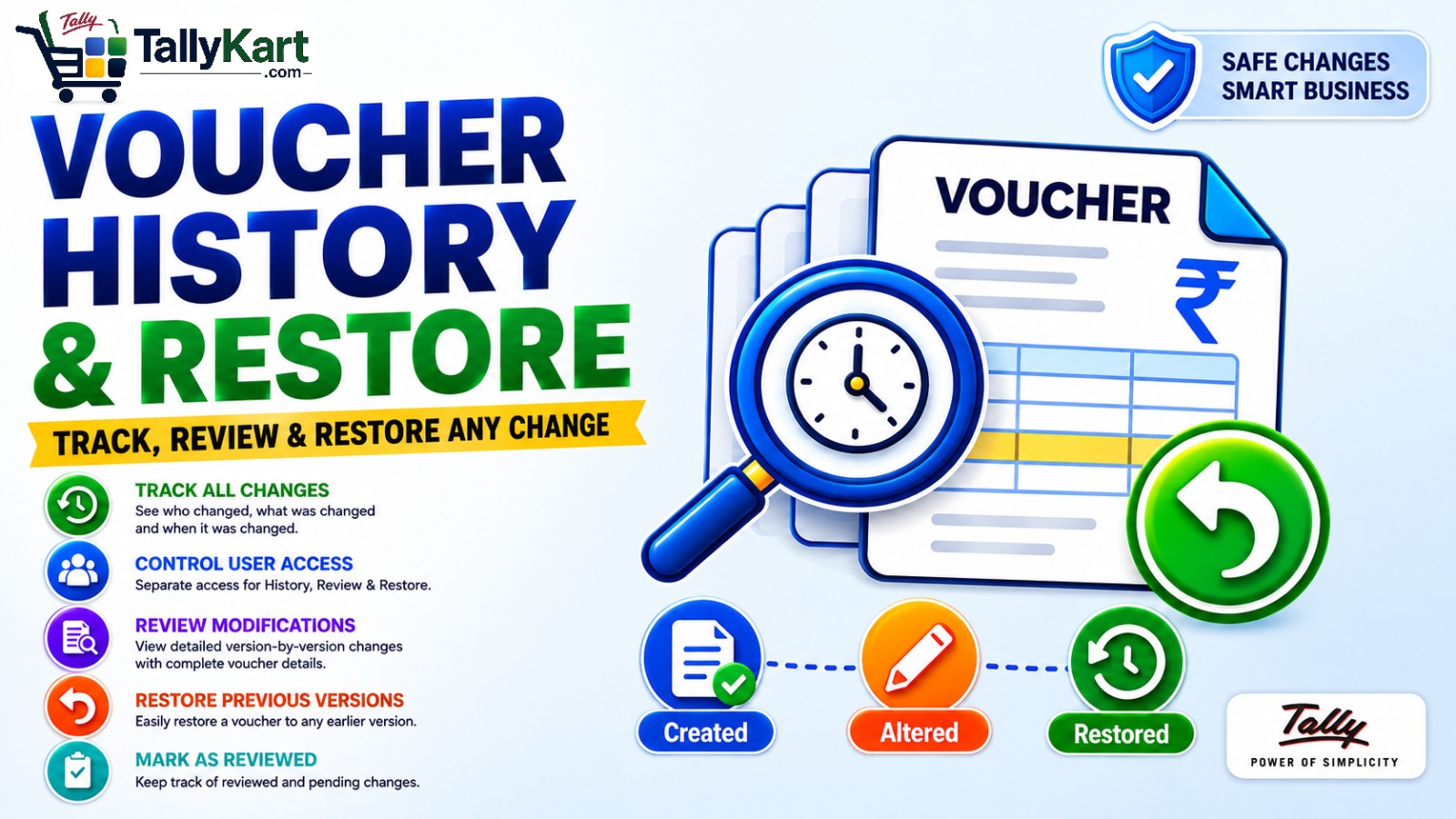
Voucher History & Restore helps you track, review, and control changes made to vouchers in Tally. Every recorded voucher version can be reviewed to understand what changed, who made the change, and when it happened.
When an incorrect alteration is identified, an authorized user can restore the voucher to a previously recorded version. Separate access controls for History, Review, and Restore help businesses maintain better control over voucher changes.
Complete Voucher History
View the history of a voucher directly from the voucher entry screen. Each recorded version provides important information such as the action performed, user, date and time, voucher date, voucher type, voucher number, party, amount and narration.
- View Create, Alter and other recorded voucher actions.
- See the user who performed the action.
- View the date and time of each version.
- Review the voucher details recorded in each version.
- Compare earlier and later versions to understand changes.
Controlled User Access
Control which users can access different Voucher History & Restore functions. Access can be assigned separately based on the user's responsibility.
- History Access – Allow users to view voucher history.
- Review Access – Allow authorized users to review voucher changes.
- Restore Access – Allow authorized users to restore previous voucher versions.
Restore Previous Versions
If a voucher has been incorrectly altered, an authorized user can select a previously recorded version and restore the voucher to that version.
- Select the required previous version.
- Confirm the restoration.
- Restore the voucher to the selected version.
- Restrict restoration to users with Restore Access.
Voucher Change Review
Businesses can review voucher changes through the dedicated Review & Restore report. Authorized users can identify changes that require verification and mark them as reviewed after checking the details.
- Identify pending voucher changes.
- Review recorded voucher versions.
- Mark verified changes as reviewed.
- Record the user who reviewed the change.
Review & Restore Report
The centralized Review & Restore report provides a convenient view of voucher changes across the company. Use the available filters to quickly find the required records.
- Review Status – Pending or Reviewed.
- Voucher Action – Create, Alter, Cancel and other recorded actions.
- Voucher Type.
- User.
- Reviewed By.
Designed for Better Control
Voucher History & Restore is particularly useful for businesses where multiple users create or alter vouchers and management needs better visibility, accountability and control over voucher changes.
- Improve visibility into voucher changes.
- Maintain a structured review process.
- Control access to sensitive history and restore functions.
- Recover from incorrect voucher alterations using previous recorded versions.
- Make voucher-change monitoring easier through centralized reporting.
Complete Voucher History
Maintain a detailed history of recorded voucher versions, including actions, users, dates, amounts and voucher details.
Track Voucher Changes
See who changed a voucher, when it was changed, and review the details recorded in each version.
Restore Previous Versions
Restore a voucher to a previously recorded version when an incorrect alteration is identified.
User Access Control
Provide separate History, Review and Restore access based on each user's responsibilities.
Voucher Change Review
Allow authorized users to review voucher modifications and mark verified changes as reviewed.
Review & Restore Report
View voucher changes across users in a centralized report for easier monitoring and follow-up.
Cancellation Tracking
Track recorded voucher cancellation actions as part of the voucher history and review workflow.
Direct Voucher History Access
Open the history of the current voucher directly from the voucher entry screen.
Since our premium solutions interact directly with your TallyPrime database schema, TallyKart provides custom remote configuration. We verify your order and handle the configuration remotely for you.
01
1. Add to Cart
Add the solution subscription to your cart or click Order Now.
02
2. Complete Payment
Proceed to checkout and complete the billing details.
03
3. Order Verification
TallyKart verifies your company license details.
04
4. Support Contacts You
Our certified agent calls you to schedule installation.
05
5. Remote Setup
We remotely install and configure the solution on your system.
06
6. Go Live!
Your premium solution becomes fully active and ready to use.
Tally Versions
TallyPrime
Supported Editions
Silver (Single User), Gold (Multi-User)
Operating Systems
Any
System Prerequisites
Licensed Tally Installation & internet for remote setup
Minimum Required: TallyPrime
Current Version: v1.0
v1.0Latest ReleaseAugust 19, 2026
0
Based on 0 customer reviews
5 0
4 0
3 0
2 0
1 0
Customer Reviews
Loading reviews...
Write a Review
Share your experience with other TallyPrime users.
Log in to write a review.